The AI Told Me It Couldn't Do It. The Button Two Inches Away Said Otherwise.
The AI Told Me It Couldn't Do It. The Button Two Inches Away Said Otherwise.
Yesterday I asked Google's Gemini to do something simple: write a draft email in Spanish asking about deadlines for an upcoming AI course, and put it in my Gmail as a draft.
Gemini gave me a confident, polite "no." It explained that it couldn't reach into my Gmail account from the chat window — different systems, different permissions, that kind of thing — and suggested I try a different AI tool altogether.
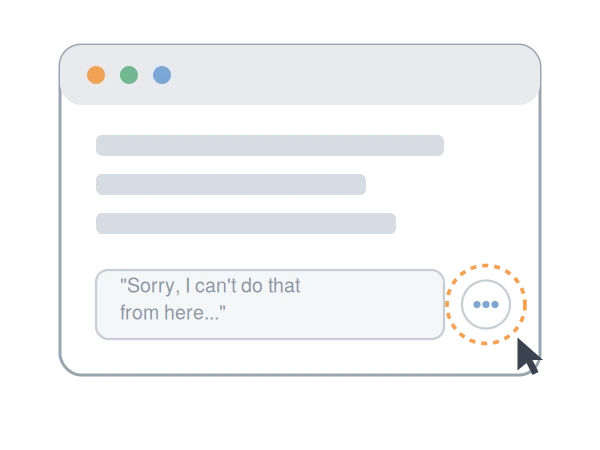
I looked down at my phone. Right underneath Gemini's response was a small menu — tap it, and there it was: an option to send that exact draft straight into Gmail. One tap. Done. The email was sitting in my drafts folder, translated and ready, thirty seconds after the AI told me this was impossible.
"It apologized, explained the limitation in detail, and recommended I switch tools entirely — while the actual solution was sitting in a menu it had never mentioned."
I want to be clear about why this is interesting, because it's not really a story about Gemini being bad. It's a story about a gap that exists in basically every AI tool right now, and once you see it, you'll start using AI assistants a lot more effectively.
Why the AI didn't know about its own button
When you ask an AI model to "do" something — send an email, save a file, update a calendar — it's checking whether it has a programmatic way to make that happen on the backend. If Gemini's chat doesn't have a direct pipeline into your Gmail account for that specific action, it correctly reports that it can't do it that way.
What it doesn't seem to factor in is that the app it's running inside of — built by the same company — often has a separate, simple export shortcut sitting right there in the interface. The model answers from its understanding of its own capabilities; it doesn't always "see" the screen the way you do.
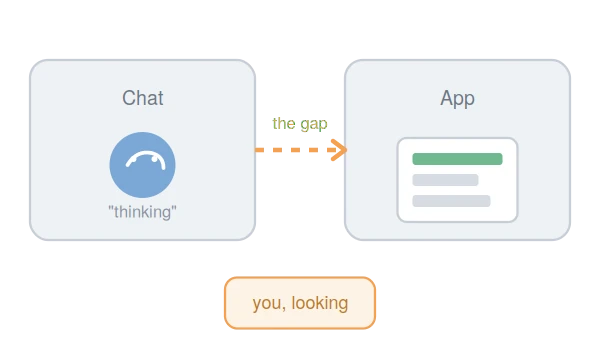
This is a known rough edge. As of 2026, the Gemini app does have a built-in export option: tap the menu under a response and you'll typically find choices like "Draft in Gmail" or "Export to Docs," which take the AI's output and drop it straight into the relevant Google app. It's a genuinely useful shortcut — and it's also easy to miss, including, apparently, for the AI itself.
Two things worth flagging if you go looking for this yourself: the exact label and location of this menu varies by device and is being actively redesigned by Google, so if you don't see "three dots," look for "Share & export" or "More" instead. And this export works one response at a time — it won't bundle up an entire conversation.
This isn't unique to Gemini, either. ChatGPT and Claude are both adding similar "connect this AI to your inbox" features, with varying degrees of read vs. write access depending on your setup. The underlying pattern — a gap between what the AI says it can do and what the surrounding app can actually do — shows up across all of them. Gemini just happened to be the one I was using when I noticed it.
What this actually means if you use AI for work
1. "I can't do that" doesn't always mean it can't be done.
It often means "I don't have a backend connection for that specific action." That's a narrower claim than it sounds. Before you give up on a task or switch tools entirely, take ten seconds to look at the actual screen in front of you — menus, share icons, export buttons — for a manual bridge the AI didn't mention.
2. There's a real difference between the "chat" and the "app."
The AI chat window is a sandbox: a place to think, draft, and generate. The app it's sitting inside — Gmail, Docs, your calendar — is where the work actually lives. Right now, the bridges between these two are inconsistent and changing fast, sometimes month to month. The practical skill isn't memorizing every shortcut; it's developing the habit of checking both places before assuming a task is stuck.
3. None of this works without someone paying attention.
The AI did the hard cognitive part — it understood the request and produced a solid Spanish translation. But it took a person noticing the mismatch between what the AI said and what the interface offered to actually finish the job. That's not a knock on the AI; it's just where the line currently sits between what these tools are good at and what still needs a human in the loop.
"The AI provided the raw material. It took a person who knew to look around the interface to turn that raw material into a finished result."
A quick way to get unstuck
Next time an AI assistant tells you something's impossible mid-task, try this before switching tools:
- Look at the screen, not just the chat. Check for share, export, or "more options" menus near the AI's response — these are often separate from whatever the AI itself can access.
- Ask for the manual workaround. If the AI says it can't do something directly, ask: "What's the manual process I'd use to do this myself with what you've already given me?" Often it can walk you through the copy-paste or export path even if it can't execute it.
- Don't assume "can't" means "never." AI assistants are being updated constantly — a limitation this month may be gone next month, and vice versa (interfaces get reorganized too).
The bigger picture
There's a lot of anxiety right now about AI replacing the need for skilled people at work. Stories like this point the other way. The OECD's recent work on AI and the workforce frames the near-term reality less as automation replacing people and more as a reshuffling of tasks and skills — with human oversight, judgment, and the ability to spot what a tool is missing remaining central to getting good outcomes (OECD research has examined the changing skill demand for occupations exposed to AI, noting that most workers won't need specialized AI skills but that AI will alter the tasks they perform).
That tracks with what happened here. The AI provided the raw material. A person who knew to look around the interface — rather than accept the AI's first answer — turned that raw material into a finished result. As AI tools get embedded more deeply into everyday software, that "look around the interface" instinct is going to matter more, not less.
Sources
- OECD, "The Future of Work" — OECD.AI working group overview: https://oecd.ai/en/working-group-future-of-work
- OECD, "AI and work" topic page: https://www.oecd.org/en/topics/ai-and-work.html
- Google, "Export responses from Gemini Apps" (Gemini Apps Help): https://support.google.com/gemini/answer/14184041
- Google, "Gmail is entering the Gemini era" (Google blog, Feb 2026): https://blog.google/products-and-platforms/products/gmail/gmail-is-entering-the-gemini-era/
Last updated: